cool open-source software1
There are a lot of interesting, useful, and importantly cool open-source projects out there.
qutebrowser
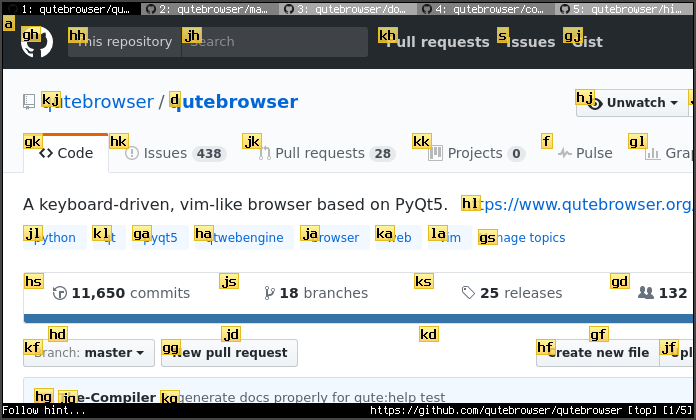
qutebrowser is a fun alternative to Chrome or any browser. It is written using Python and “Qt”, which is an open-source project allowing developers to write ‘cross-platform apps’.
Anyhow, qutebrowser is fun to use. Keyboard-based workflows, in general, are fun to use. Having a quick interface for what you want to do is good UX. It can be “overkill”, akin to using a stenography keyboard to write a paper, but even in general cases, it is useful.
A small rabbit hole to go down: History of Web Engines
Readest
Readest is an e-book PDF reader I recently stumbled upon. I found it after being pretty miffed about the sheer, almost absurd, greed of AI companies making “TTS (Text To Speech)” readers on iOS. The popular ones charge like $10-$20 a month for a TTS reader. Isn’t the price crazy?
The end-to-end processing of a Vocoder + Spectrogram model does not take a lot of compute. It doesn’t take much because:
- the “context window” is small
- not 10B+ parameters in it
- highly optimized for use
Unless you are querying their own “self-hosted” AI models to generate audio for the text snippets, you are basically paying for your own compute. It’s not like the models used by these services are “novel” or anything. They usually take a pretrained model from coqui and then modify it.
URL TO EPUB
Readest can only run TTS on “.epub” formatted text. I needed a way to input a URL and get out a valid “.epub” file so I can have TTS for any site. I was planning on writing my own web-based converter, so I learned a lot in the process. Like, who knew “.epub” was a zip file containing XHTML and a standardized folder structure spec.
Someone else already wrote a JS-based version: https://webpagetoepub.github.io/2.
Joplin
Joplin is my note-taking app. Surprisingly, again it supports “cross-platform” although this time using “Electron” for PC platforms and “React Native” for mobile. It is a simple and feature-filled note-taking application.
The main competitor to this would be “Obsidian”, and although I do admit their “Knowledge Graph” feature is cool, none of it warrants me switching off Joplin for.
komorebi
komorebi is a tiling window manager for Windows. I use “i3” for my window manager on Linux, so it kind of made sense to have the same thing for my PC.